




VidMate
 Trusted
 4.3.x+

 PEGI-3
Description of VidMate
Vidmate app is a free video downloader for Android that works with many different social platforms, including YouTube, TikTok, WhatsApp, among others.
With Vidmate, you'll be able to download any multimedia material (videos, pictures, or audio files) to your Android device at no cost. Just with a couple of taps, you can get that amazing YouTube music video, useful Facebook tutorials, or popular TikTok recipes or choreographies in just a few seconds. With this amazing feature, you'll be able to play them later without using any allowance of your data plan. This is a great way of saving data and money while having your favorite content available at all times.
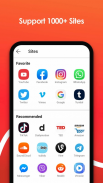
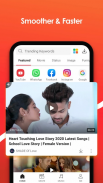
Once you download the Vidmate app, you'll realize it's compatible with a lot of different and popular platforms, including YouTube, TikTok, Facebook, WhatsApp Status, Dailymotion, Vimeo, Twitter, LiveLeak, Instagram... You've got almost everything. Also, Vidmate works on Internet browsers, so feel free to watch, enjoy and download your favorite content directly from your browser.
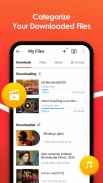
Vidmate is an extremely easy-to-use tool. You'll realize that a tutorial is not needed and, once you download it and open it, you'll easily understand the way Vidmate works and you'll start downloading videos, pictures, and songs in a matter of seconds. The experience is so smooth that you can download several videos at the same time. This way you'll save some time and, as said, a lot of data from your mobile data plan! You can also, pause and resume the download process in case you're Wi-Fi connection is interrupted for any reason. These downloads take place in the background, but you'll always be able to check the progress at any time.
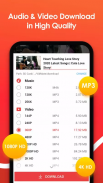
The amount of formats you can download videos on is amazing, from lower-resolution 2K clips to amazing 4K ones, Vidmate will for sure meet your quality requirements and adapt to your needs. This option is not only crucial for you to manage your device memory but also to enjoy the content in the best way possible on your device. Vidmate offers an automatic system to adjust videos to best suit your screen size. This way you can relax and let Vidmate make this decision for you!
Vidmate app also works with other types of content apart from videos, including pictures and audio. You can download high-resolution pictures and memes very quickly but also songs in a lot of formats, including mp3! If you were worried about using too much data to listen to your favorite playlist, you can just download those songs at a very high speed via WiFi to enjoy them without using your allowance!
Your favorite YouTube video downloader is not only easy-to-use, comfortable, convenient, and fast, but also a safe tool. With Vidmate you'll enjoy amazing features to download your favorite content to your Android device while keeping it safe at all times. And it's also free to download and use!
Vidmate also features a subscribe option that allows you to follow content that you like and to keep you updated with your favorite influencers and Internet stars. Also, if you need new ideas, you can just use the Discover channel and find out the latest trends around the globe!
On top of all those social media platforms, Vidmate app also offers you the possibility to record Live TV and series, including very popular channels such as Zee TV and Channel V, in a lot of languages and from all over the world.
One of the most useful and popular tools on the internet is waiting for you! Download Vidmate to get your favorite videos to your Android device in minutes easily and comfortably!
VidMate - Version 5.3126
(16-05-2025)

VidMate - APK Information
APK Version: 5.3126Package: com.video.fun.appHow to download VidMate APK?
To download VidMate APK just tap on the Download button and follow the quick and simple steps. You might need to grant installation permissions to your browser to allow installation from unknown sources.Is VidMate app free?
It is completely free to download and use VidMade on any Android deviceHow to download old versions of Vidmate?
To download an older version of VidMate you just need to tap on the Other Versions button, choose the one you would like to install and then tap on Download.How to update Vidmate?
To update VidMate you just need to tap on the Update button above. If you see a button that says Open instead of Update, it's because you already have the latest version!Latest Version of VidMate


Other versions




















Apps in the same category









You may also like...